 Embedded Systems IDEOpen Beta
A browser-based IDE combining a professional code editor, visual block builder, and AI-powered CAD designer — built for embedded systems and robotics.
In Action
See it for yourself.
Switch between workspaces to see CuBot in action — from writing firmware to building 3D parts with a conversation.
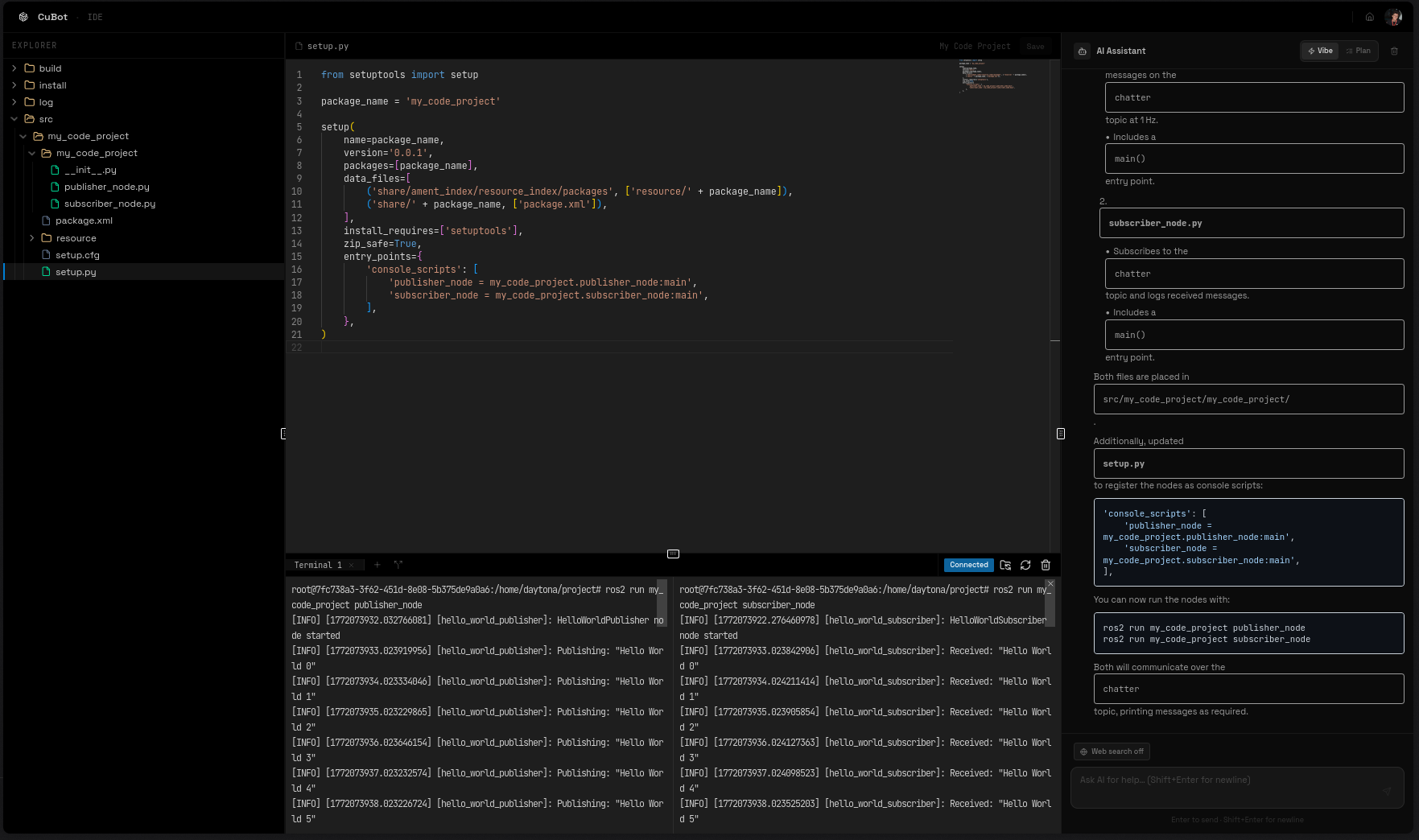
Code IDE
—ROS and embedded developmentA full Monaco editor with AI chat, multi-compiler support, and real-time serial monitoring. Write ROS nodes or embedded C/C++ firmware, then deploy directly to hardware or robots.
- AI assistant with Vibe & Plan modes
- ROS package development and Arduino/ESP32/STM32 firmware
- Serial monitor over WebSocket for embedded debugging
- Flash HEX binaries to real hardware from the browser
Platform
Three workspaces.
One platform.
Switch between a pro code editor, visual block builder, and AI CAD designer — all connected to the same project.
Code IDE
ROS & Embedded Development
A full Monaco-based editor with AI chat, multi-compiler support, and serial monitoring. Write ROS nodes or embedded C/C++ with Claude-powered suggestions, then deploy to hardware or robots.
- Monaco editor with AI code assistant
- ROS packages & Arduino/ESP32/STM32 firmware
- Serial monitor over WebSocket
- Deploy to robots and hardware from browser
Block Builder
Visual Programming
Drag-and-drop programming with a live 6-DOF robotic arm viewer. Connect blocks to control motors, loops, and sensors — no syntax required. Perfect for learning and competitions.
- Drag-and-drop node-based editor
- Real-time 3D arm visualization
- Motor, sensor & timing blocks
- Auto-save with program history
CAD Designer
AI-Powered 3D Modeling
Describe the part you need in plain language. CuBot generates parametric CadQuery Python code, renders a 3D preview, and exports STL for 3D printing or assembly.
- Natural language → 3D model
- Multi-part assembly planning
- STL export for 3D printing
- Iterative design with AI chat
Supported Microcontrollers
Arduino
ATmega328P
ESP32 (Upcoming)
Xtensa LX6
STM32F4 (Upcoming)
ARM Cortex-M4
STM32L476 (Upcoming)
Cortex-M4 LP
Workflow
From idea to hardware
in four steps.
A complete loop that takes you from writing the first line of code to running firmware on a real microcontroller.
Write
Code or click — your choiceWrite embedded C/C++ in the full IDE with AI suggestions, or drag-and-drop visual blocks to program robot behaviors. No setup, no installs.
Compile
Target any microcontrollerOne-click compilation via Docker-containerized toolchains. Get real-time build logs, AI-explained error messages, and ready-to-flash binaries.
Simulate
Test without hardwareRun your compiled code on a virtual microcontroller. Monitor GPIO states, ADC readings, UART output, and timing — all in real-time.
Deploy
Ship to real hardwareFlash your HEX file directly to a connected Arduino board from the browser. Or export and use any standard programmer — the choice is yours.
Capabilities
Built for the full
development loop.
From first line of code to physical hardware — every step is covered, AI-assisted, and runs entirely in your browser.
AI Code Assistant
Claude-powered assistant with two modes: Vibe Mode for instant suggestions, and Plan Mode for structured multi-step code generation with accept/discard controls.
Multi-Target Compiler
Docker-containerized compilers for Arduino, TI ARM, and ESP32. One-click cross-compilation with real-time build logs, error parsing, and AI-explained diagnostics.
Hardware Simulation
Run compiled HEX files on a virtual ATmega328P via AVR8js. Simulate GPIO, ADC, PWM, UART, and interrupts without touching a single wire.
Visual Block Programming
Build robot programs by connecting drag-and-drop blocks — loops, conditions, joint moves, timing. A live 3D arm viewer reflects every change in real time.
AI CAD Designer
Describe the 3D part you need in plain English. CuBot plans a multi-part assembly, generates CadQuery Python, validates each part, and streams the model live.
ROS Development
Provision cloud sandboxes via Daytona for full ROS development. Integrated terminal, file sync between IDE and sandbox, and full package build support.
Supported Hardware
Get started
Build something real.
No hardware required.
CuBot is free and open-source. Open your browser, start a project, and go from code to virtual hardware in under a minute.